The Ultimate Beginner's Guide to Custom Mechanical Keyboards
So, you’ve heard the "thock", seen the colorful setups on Instagram, and decided it’s time to ditch that membrane office keyboard. Welcome to the rabbit hole. Building a custom mechanical keyboard is one of the most rewarding tech hobbies out there.
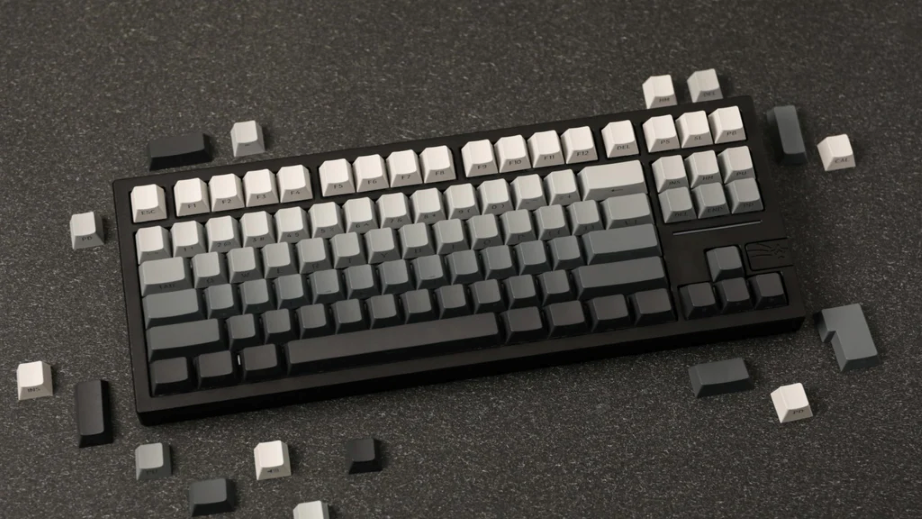
1. The Anatomy of a Keyboard
Before you buy anything, you need to understand what goes inside. A custom keyboard isn't just one piece; it's a sandwich of components.
- Case: The housing of a keyboard. Can be plastic (ABS/Polycarbonate) or metal (Aluminum). It defines the weight and sound pitch.
- PCB (Printed Circuit Board): The brain of a keyboard. Hot-swap PCBs allow you to plug switches in like Lego. Solder PCBs require tools.
- Plate: Holds the switches in place. Materials like Brass (stiff, high pitch) or POM/Polycarbonate (flexible, deep sound) change the feel.
- Stabilizers (Stabs): Essential for big keys (Spacebar, Enter). Bad stabs rattle; good stabs are silent.
2. Choosing Your Keyboard Form Factor
Size matters. Do you need a number pad for Excel? Or do you want more mouse space for gaming?
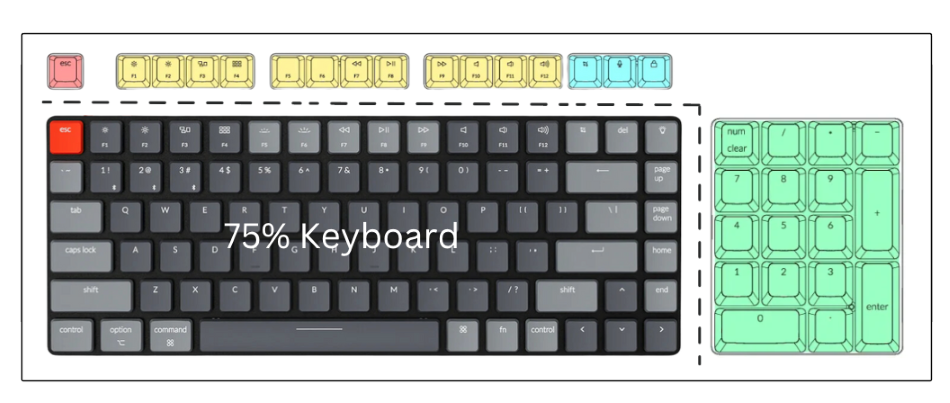
60% Layout
No F-row, no arrows, no numpad. Extremely compact. You access missing keys using layers (like holding Function + 1 for F1).
65% & 75% Layouts
The sweet spot. You get arrow keys and (on 75%) the Function row, but it's still much smaller than a standard keyboard.
Tenkeyless (TKL) Layout
The standard layout minus the number pad. It retains the separate navigation cluster (Home, End, Arrows) and F-row. A classic choice for those who want a traditional feel without the bulk.
Full Size Layout (100%)
The traditional 104-key layout you grew up with. Includes the number pad. Essential for heavy data entry or productivity work, but it takes up a lot of desk real estate.
3. Switches: The feel of the keyboard
This is the most subjective part of a keyboard. Switches are generally color-coded:
- Linear (Red/Black/Yellow): Smooth straight down. No bump. Preferred by gamers.
- Tactile (Brown/Clear/Holy Panda): A physical "bump" halfway down. Great for typing feedback.
- Clicky (Blue/Green): A bump accompanied by a loud click. Love it or hate it.
4. Where to Buy Keyboards (Malaysia & Global)
Finding parts can be tricky. Here is how to navigate the market.
Global Vendors
Sites like KBDfans, CannonKeys, and NovelKeys are staples in the mechanical keyboard community. However, shipping fees can add up.
Sourcing in Malaysia (MY)
We are lucky to have a thriving local scene. To save on shipping and taxes, check out these local options:
- Shopee/Lazada: Great for budget parts like Akko switches and keycap clones.
- Local Proxies/Vendors: Look for specialized stores like Mecha Store or Rebult Keyboards for premium Group Buy extras and lubricants like Krytox 205g0.
- Facebook Marketplace / Carousell: The best place to find second-hand GMK sets or built boards in KL.
Conclusion
Your first custom mechanical keyboard doesn't have to be perfect. Start with a budget hot-swap kit, buy a switch tester to find your preference, and enjoy the process. Happy building!